02 · B2B · Pricing platform
Turning Excel logic into a working product
I defined the architecture and core interfaces of Keeprise from scratch. Later, observing pricing managers at work helped us correct a key assumption. Individual prices could be changed without uploading a large file again.
Case map
Four layers of work
I first built the product foundation with the CEO. I then led design, involved customers, and took manual price changes through release.
01 · Section
Keep Excel familiar without copying Excel
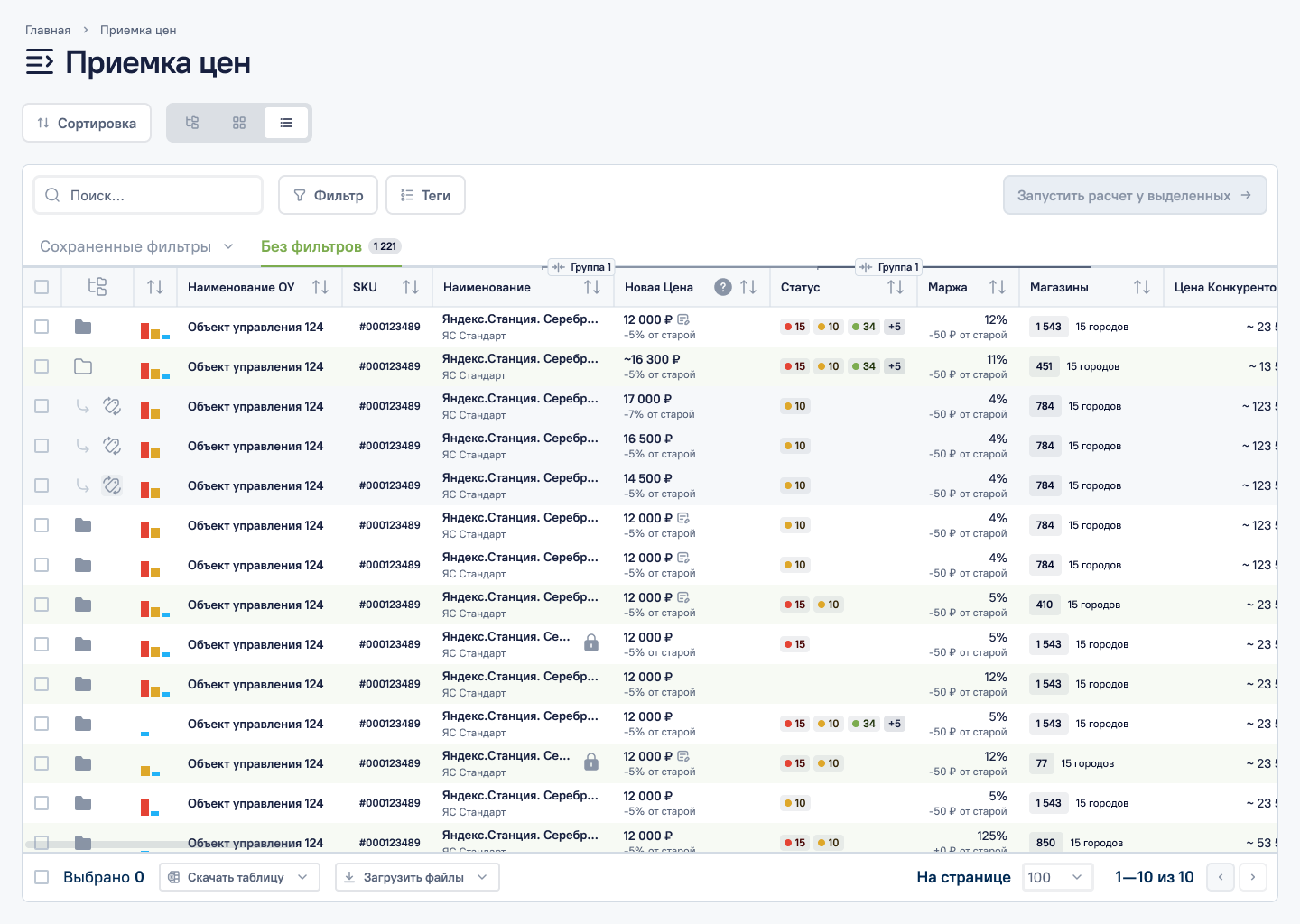
Before Keeprise, managers worked with prices, zones, and categories in Excel. The tables were familiar, but relationships between rules were hidden in formulas and separate documents.
At the MVP stage, I worked directly with the CEO. I used their domain knowledge to define the product model, architecture, and core sections. From the start, I proposed checking decisions with the people who changed prices every day.
The trade-off was clear. We could not reproduce Excel in a browser, but we needed to preserve its familiar density while giving cells more capabilities.
02 · Section
Defined the product vision and visual direction
Working closely with the CEO, we shaped the initial product vision. I translated it into the first screens and a visual language that became the foundation of the design system.
Another designer later joined the project. I delegated smaller tasks, discussed his approach, and checked that new solutions fitted the UX already in place.
For example, the first file-upload version gave a secondary action too much emphasis. We moved it next to the table actions, reduced its visual weight, and built the solution from design-system components.
03 · Section
Watching real work changed our assumption
Once the product had larger customers, I met pricing managers. I asked them to show the current system and walk through an ordinary work task instead of summarising their process.
After each meeting, I developed the solution in mockups and presented it on the next call. This was a guided walkthrough rather than an unmoderated prototype test. It let us check the logic before release.
One meeting exposed a basic assumption. We thought a file would be uploaded once. In practice, prices changed throughout the reporting period.
04 · Section
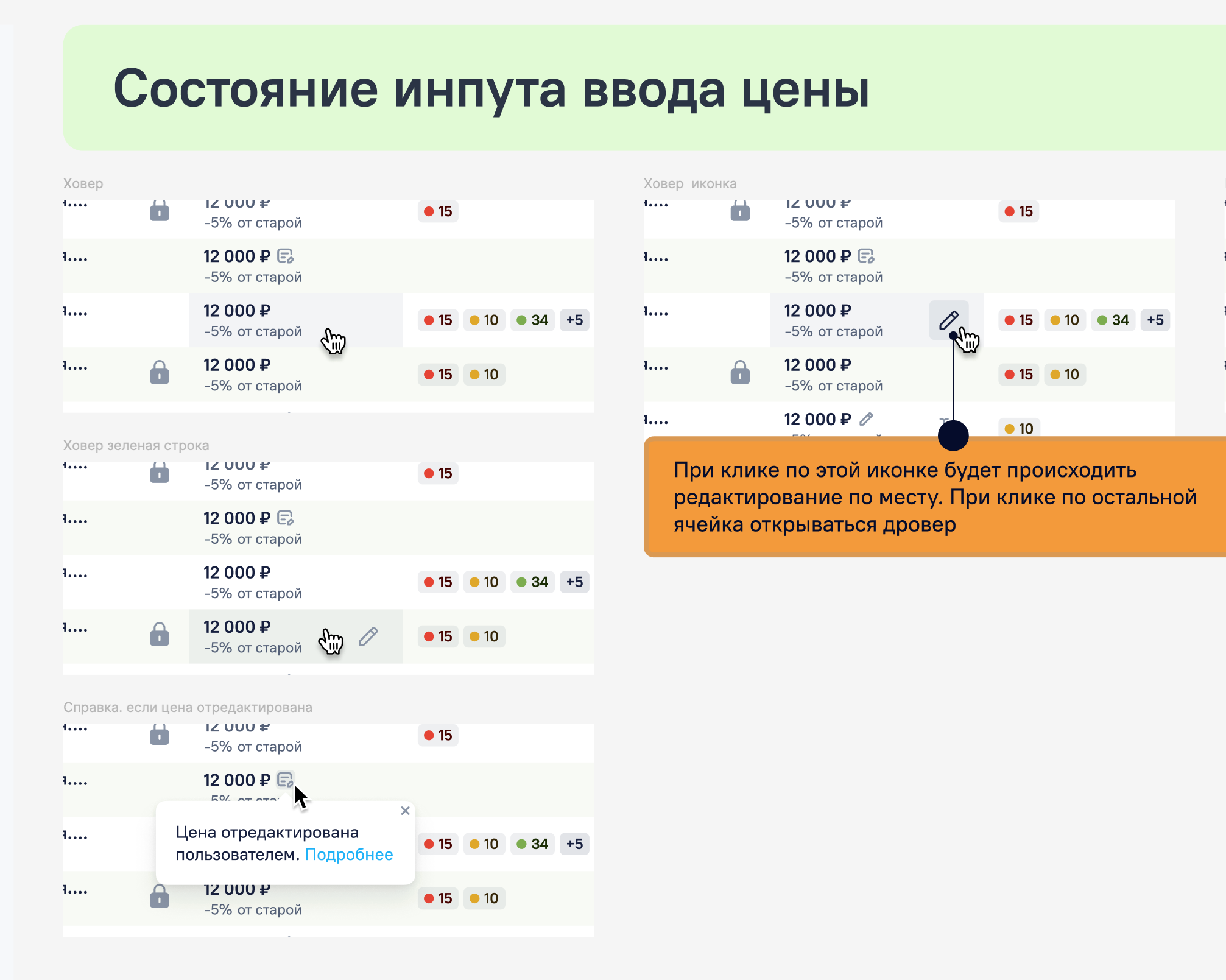
One price no longer required a new file
Files contained thousands of items and took time to process. A small correction restarted the whole import and added unnecessary waiting.
I designed direct price editing inside the table. The manual value took priority, stayed in history, and had a dedicated marker. The system warned the user before an overwrite.
After release, managers said they had less repetitive work and more time for other tasks. I do not have a quantified estimate of the time saved.
05 · Section
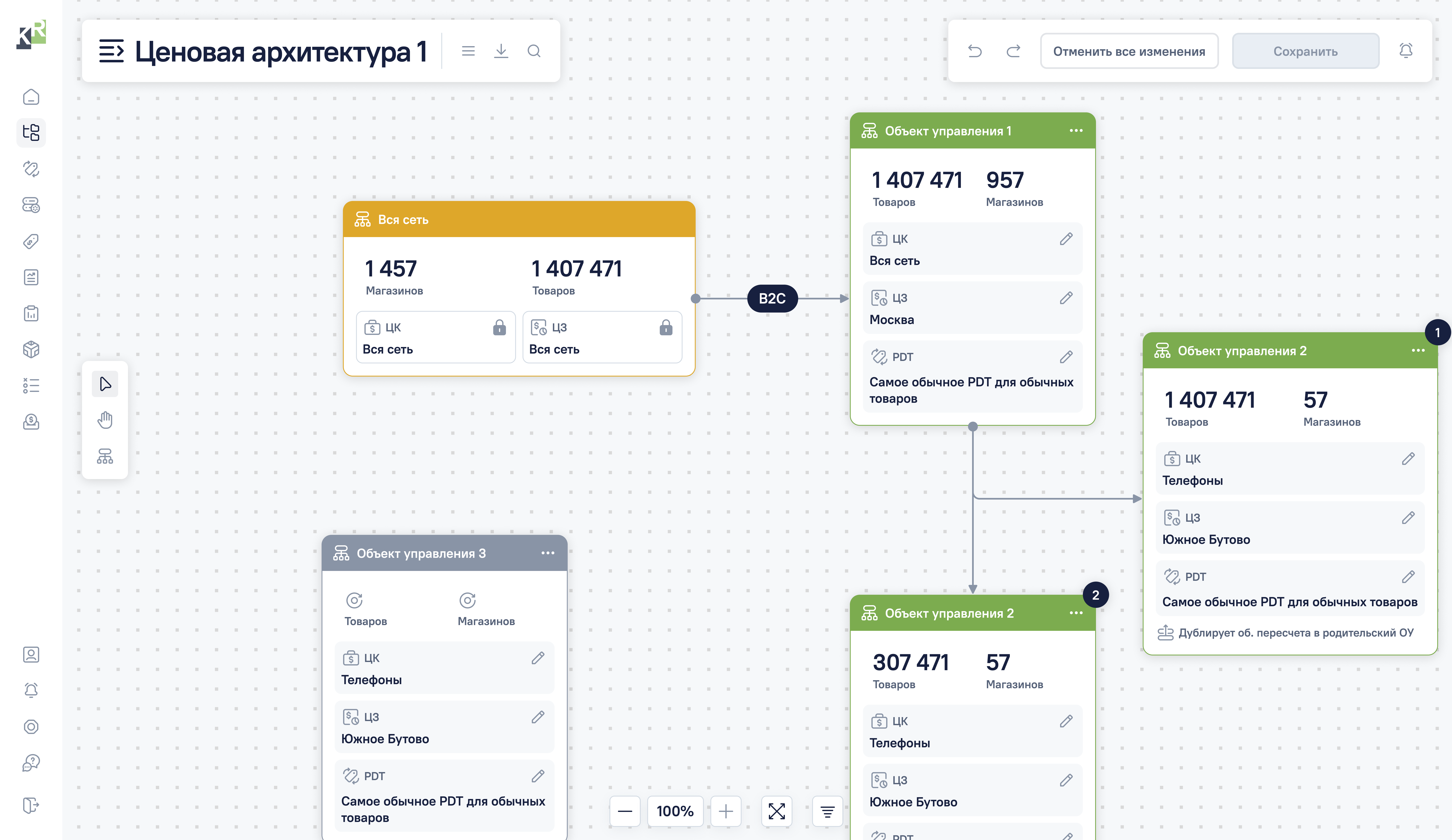
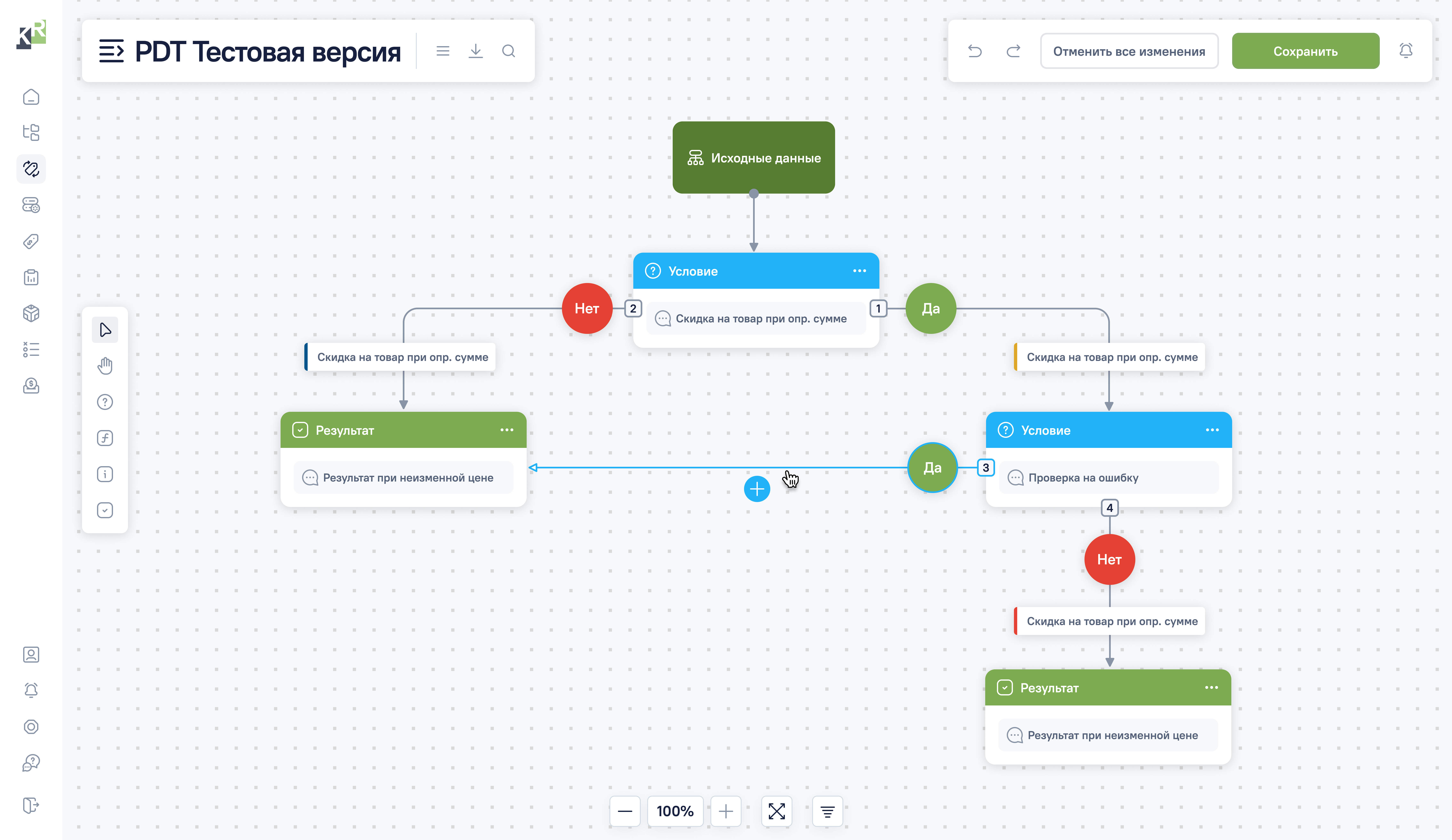
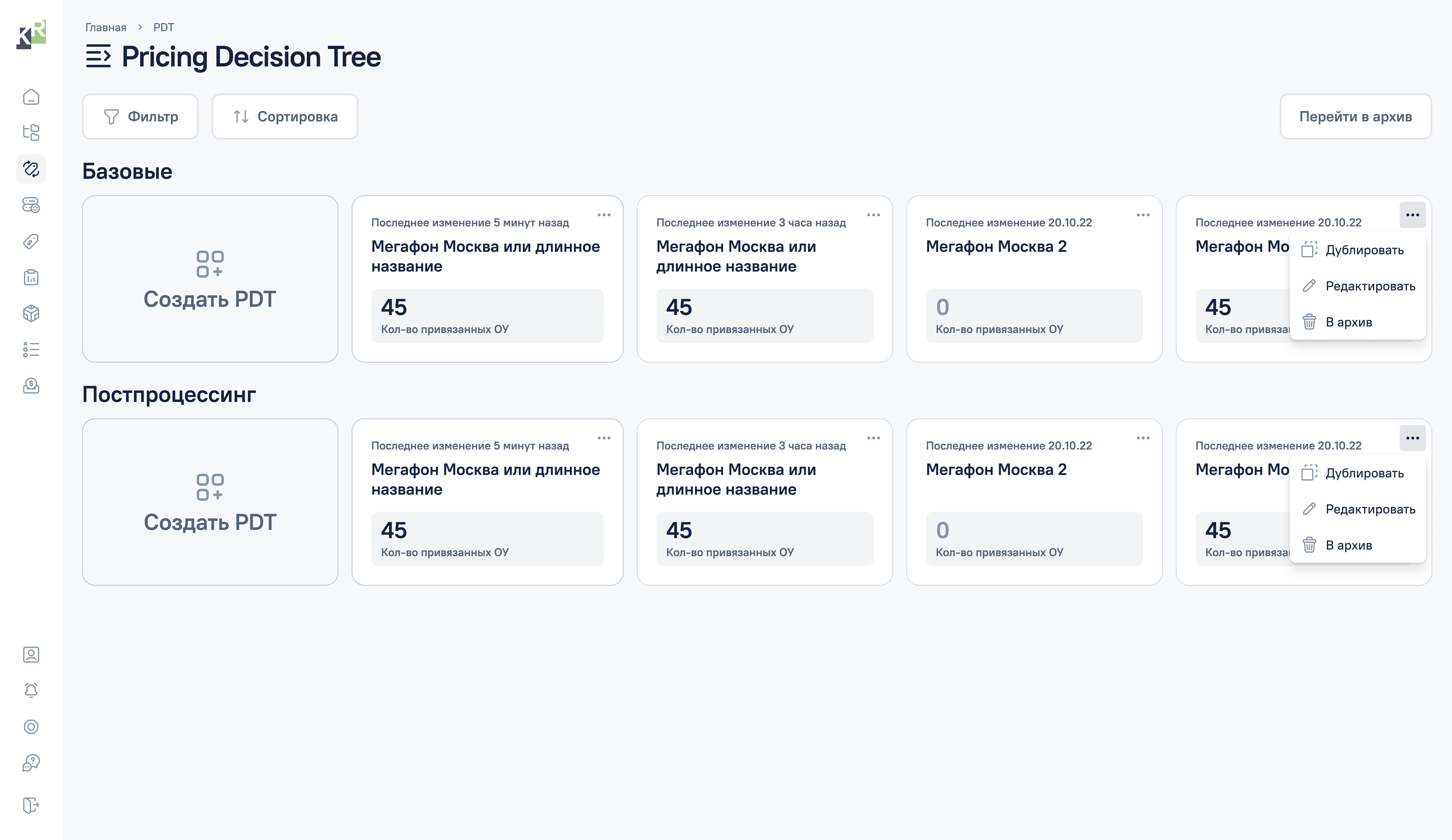
Turn a complex formula into a tree
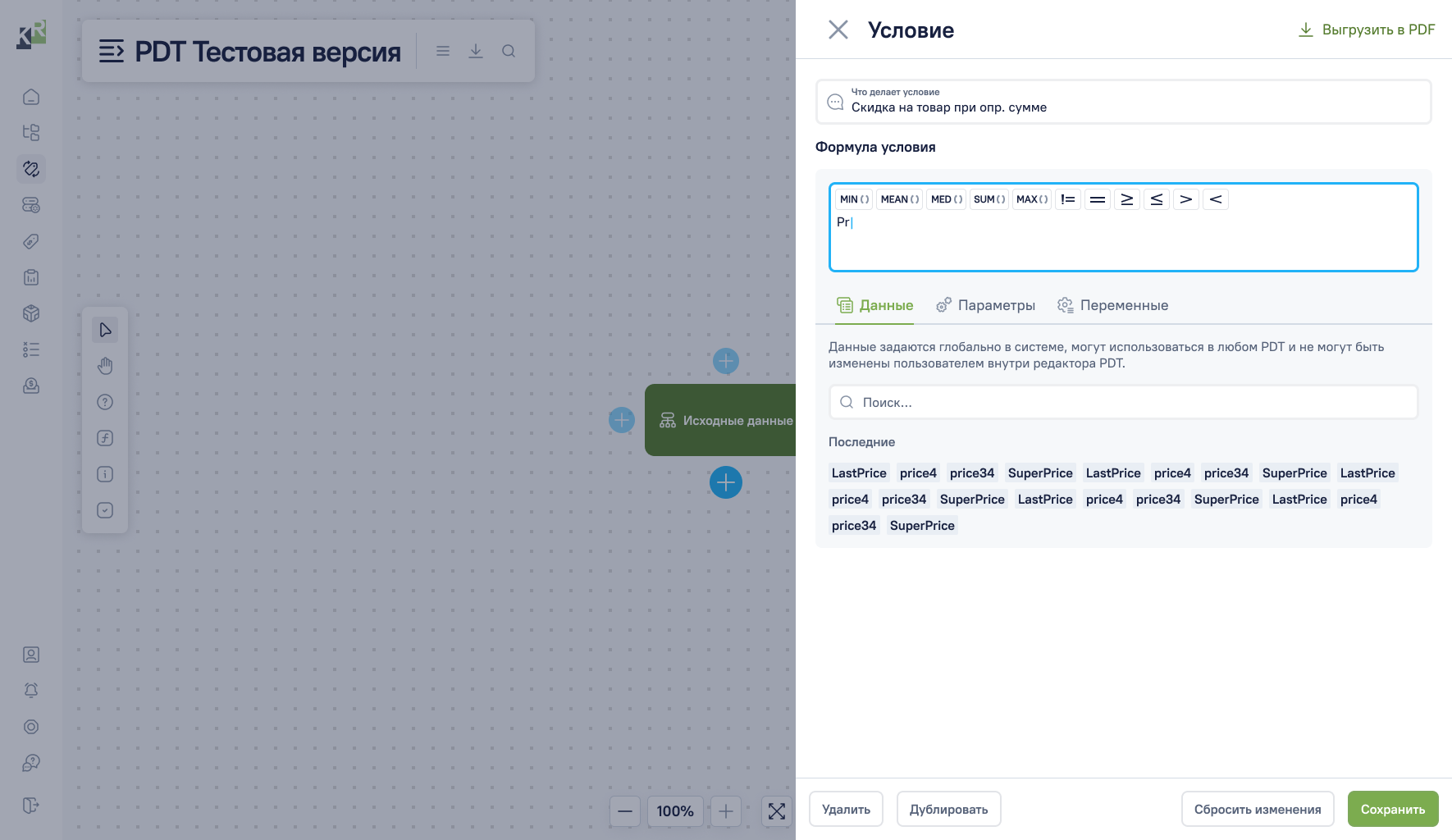
At the MVP stage, pricing rules still lived in Excel formulas. Pricing zones and segments inherited conditions, and the final price emerged from several layers of logic.
Here I reused Figma’s approach. All connected objects live on one canvas, while zoom moves the view from the overall scheme to a specific rule.
The CEO understood the approach. We could not assess the tree’s effect separately, but we received no negative feedback on the solution.
06 · Section
Connect the tree to the product model
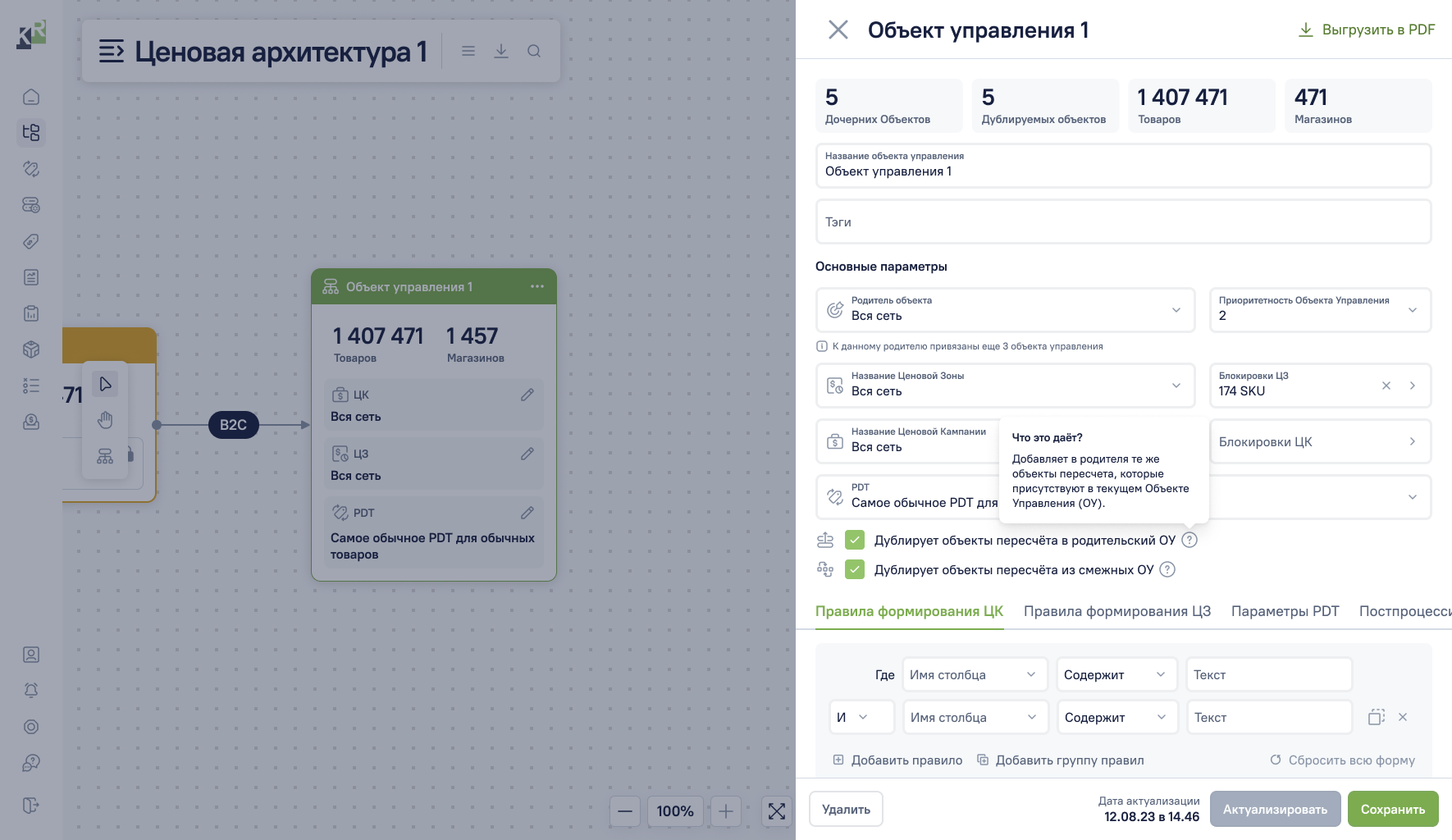
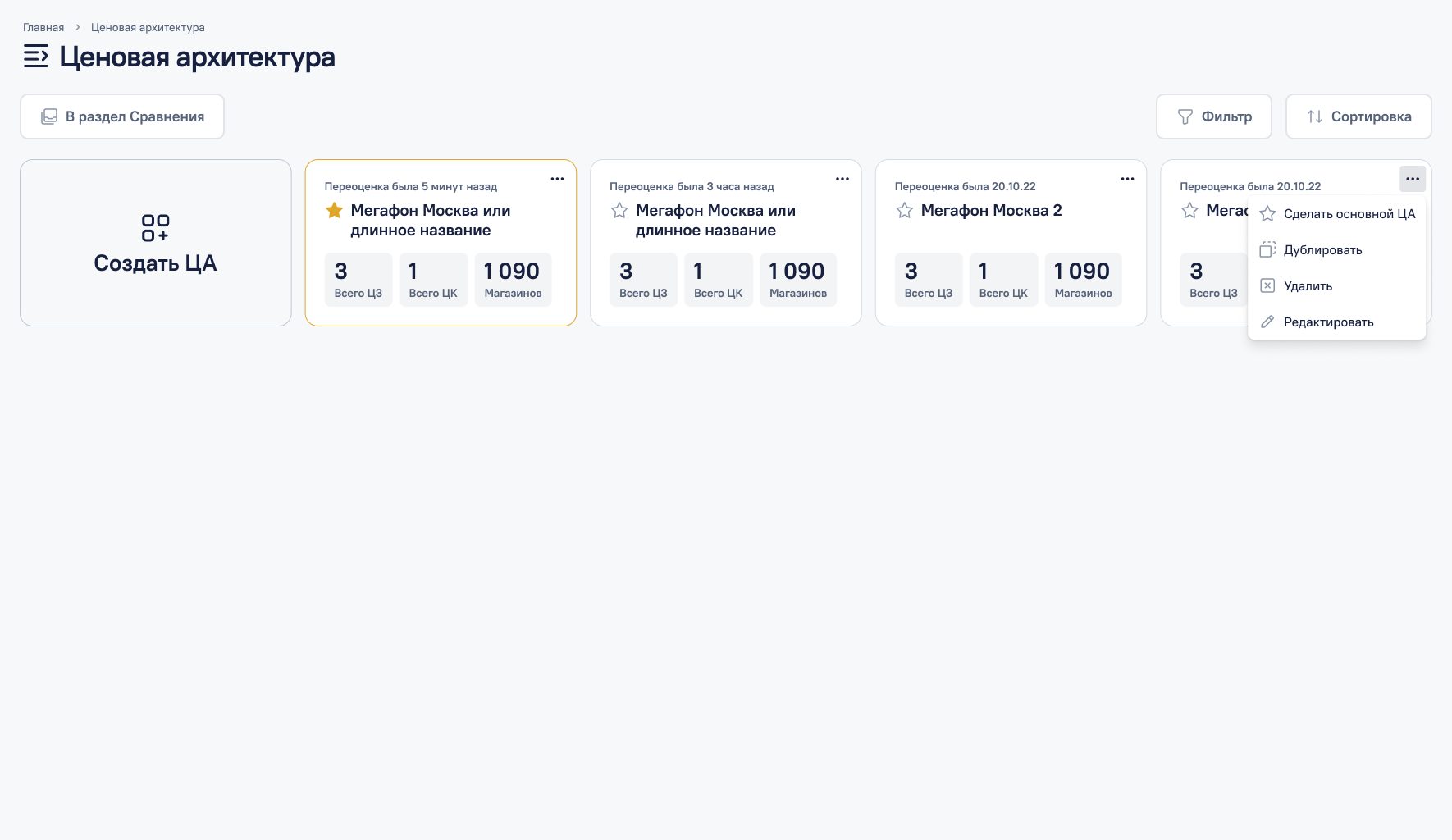
Pricing Architecture connected rules with pricing zones, segments, and product groups. Together with PDT, it showed where a condition applied, what inherited from what, and how the final price was formed.
The model became the foundation for the core product sections. It kept the dense interface coherent. Managers could see both a specific rule and its place in the wider pricing system.